Using the calendar
Your working week at a glance — jobs, requests, time off and the team.
Open this in your portal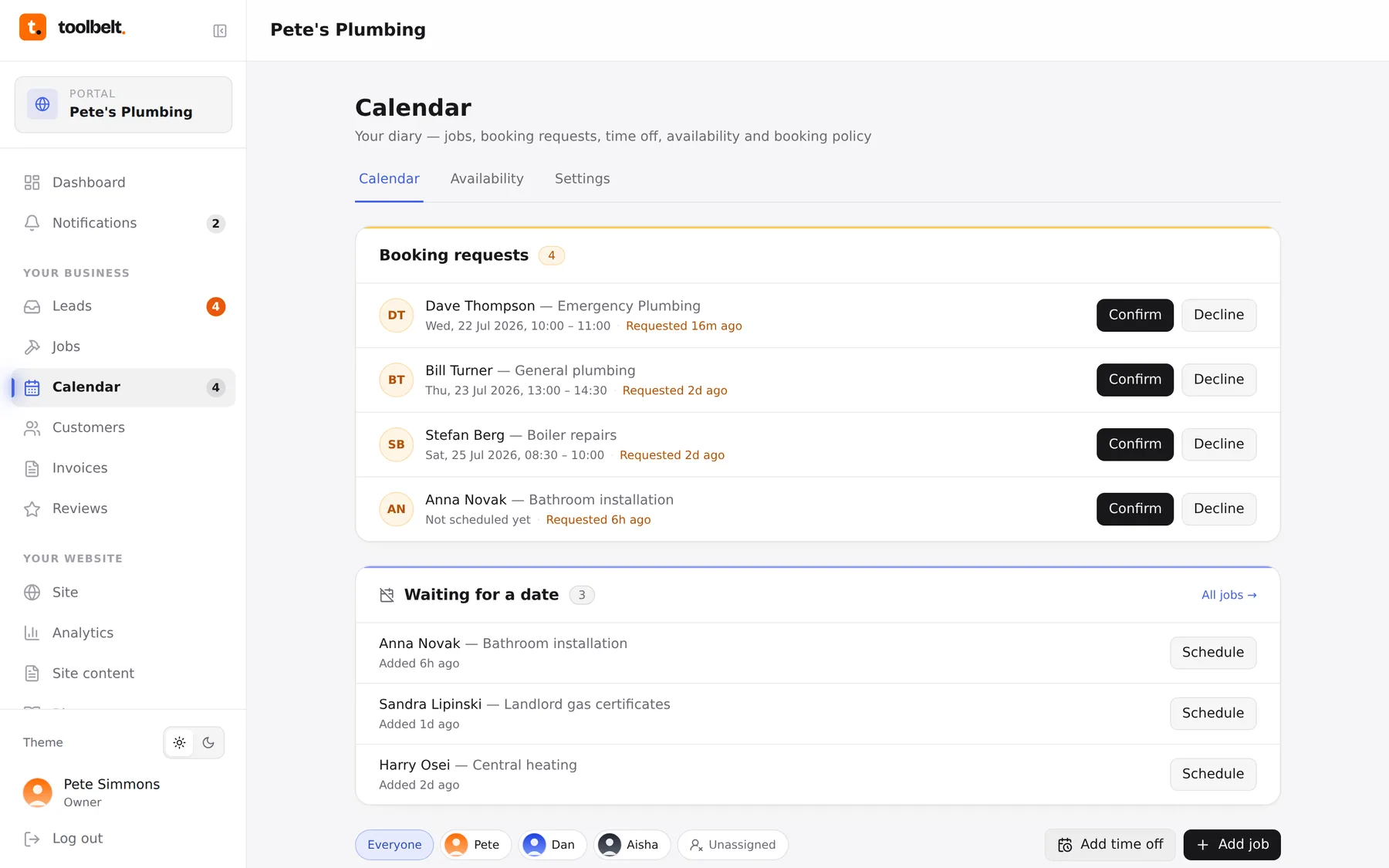
The Calendar is your diary. Week view on a computer, day view on your phone, and every job colour-coded by status so you can read your week from across the room.
Finding your way around
- Jobs sit in their time slots — tap one to open it, edit it or move it.
- Booking requests wait in the yellow inbox above the grid until you confirm or decline them.
- Waiting for a date lists jobs that are agreed but not yet scheduled — tap Schedule to drop one into a slot.
- If you’ve got a team, the bar at the bottom filters the diary per person — handy for “what’s Dan on tomorrow?”
- Add job and Add time off live in the bottom corner.
The Availability and Settings tabs control what customers can book from your website — covered in Set your availability and Booking policy.
Tip: greyed-out stripes are your time off. Customers can’t book over them, and neither should you.