Booking policy: notice, buffers and auto-confirm
The rules behind online booking — how much notice, how far ahead, and whether bookings confirm themselves.
Open this in your portal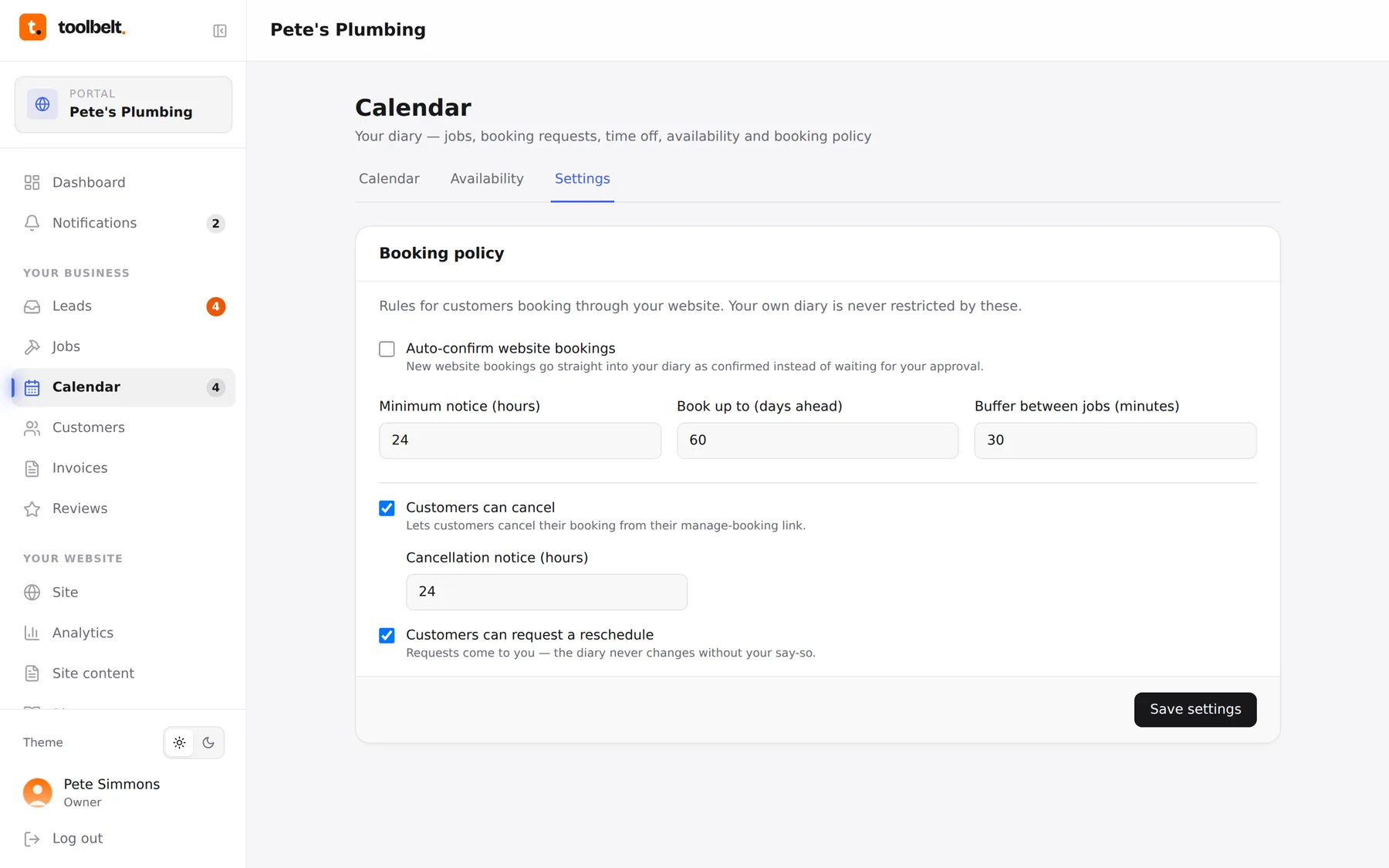
Calendar → Settings holds the small print of online booking. Five minutes here saves a hundred awkward phone calls.
What each rule does
- Auto-confirm — bookings skip the request stage and go straight into your diary. Great when your availability is accurate; leave it off if you like the final say.
- Minimum notice — how close to a slot someone can book it. 24 hours means no surprises at breakfast.
- Book ahead limit — how far into the future customers can reach. 60 days is plenty for most trades.
- Buffer between jobs — breathing room for travel and overruns. 30 minutes turns a neat-on-paper day into one you can actually drive.
- Cancellations & rescheduling — whether customers can cancel or move their own booking, and how much notice they owe you.
Changing them
- Open Calendar → Settings.
- Adjust, save, done — the rules apply to new bookings immediately.
Tip: set the buffer to your real average drive between jobs, not your optimistic one. Your 4pm customer will notice the difference.