A quick tour of your portal
What the dashboard shows you and where everything lives.
Open this in your portal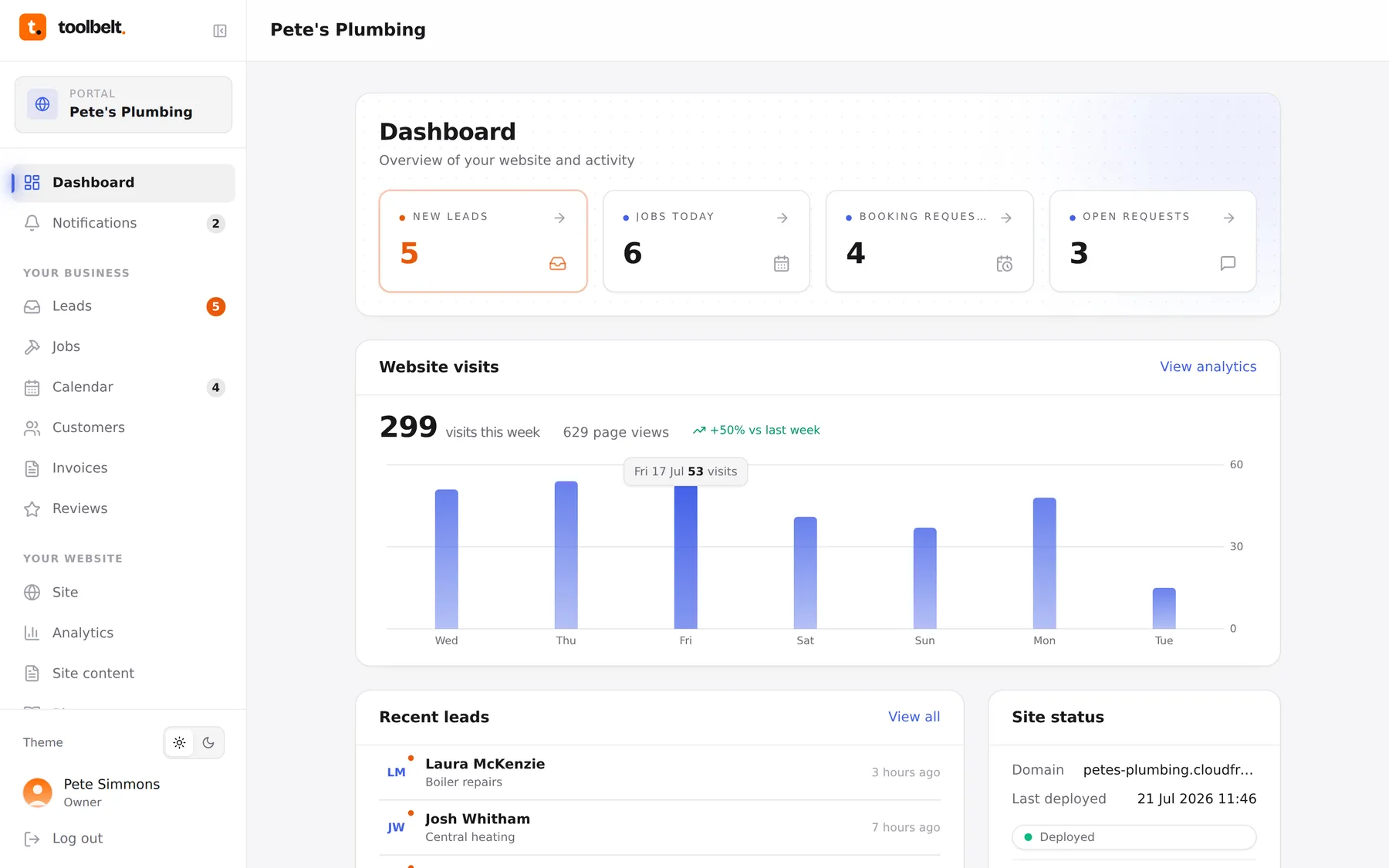
Your dashboard is the one screen that tells you whether anything needs you today. Everything on it is clickable — tap a number to jump to the page behind it.
What you’re looking at
- New leads — enquiries from your website you haven’t read yet. Orange means “worth a look”.
- Jobs today — your diary for the day, pulled from the calendar.
- Booking requests — customers who’ve asked for a slot and are waiting on a yes.
- Open requests — anything you’ve asked us to change on your site.
Below that: your website visits for the week (with last week to compare), your latest leads, your site status (what’s live and when it last went out), today’s jobs, and your most recent blog posts.
The sidebar
Everything else lives in the left-hand menu, grouped into Your business (leads, jobs, calendar, customers, invoices, reviews) and Your website (site details, analytics, content, blog, requests). The little badges are unread counts — same idea as your phone.
Tip: the portal works fine on your phone’s browser too — same address, same login.